See who is next
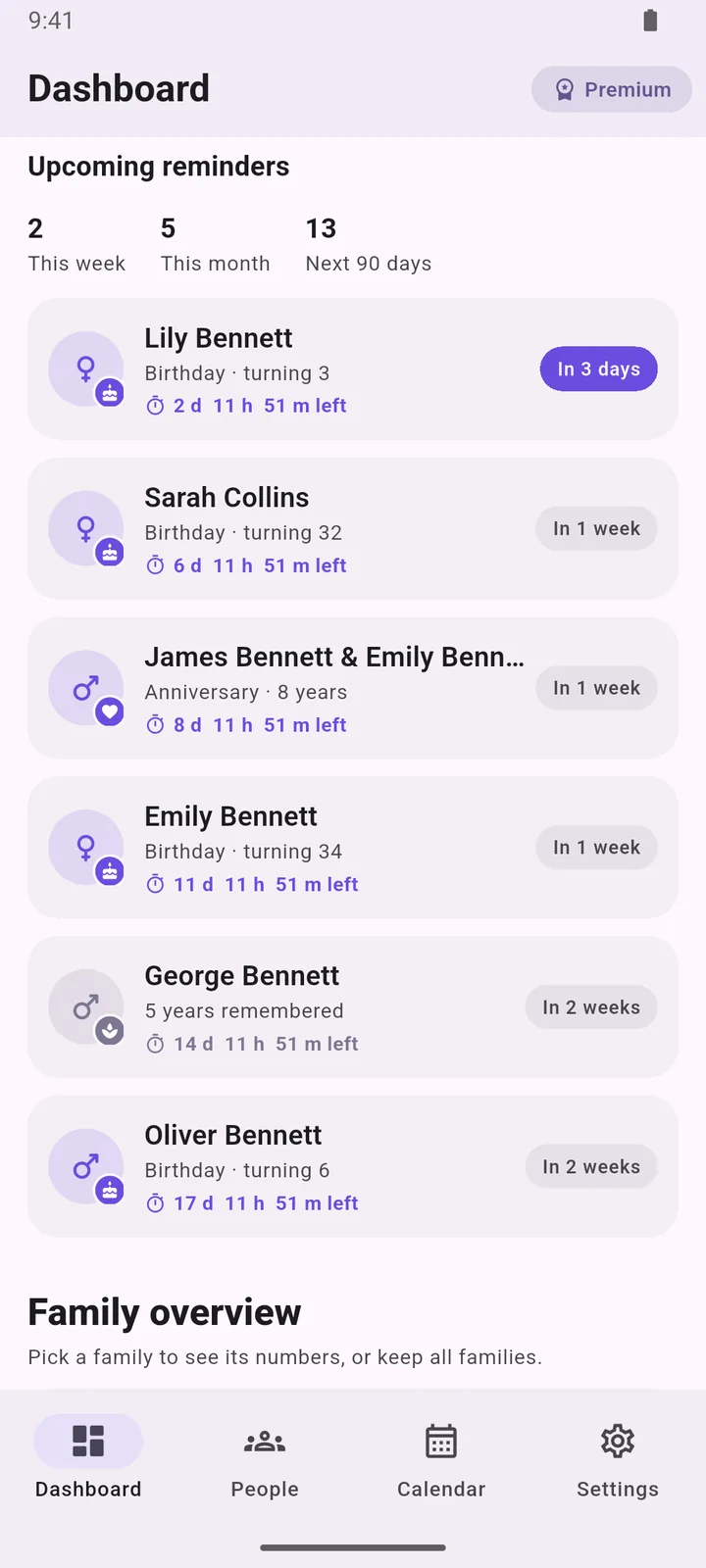
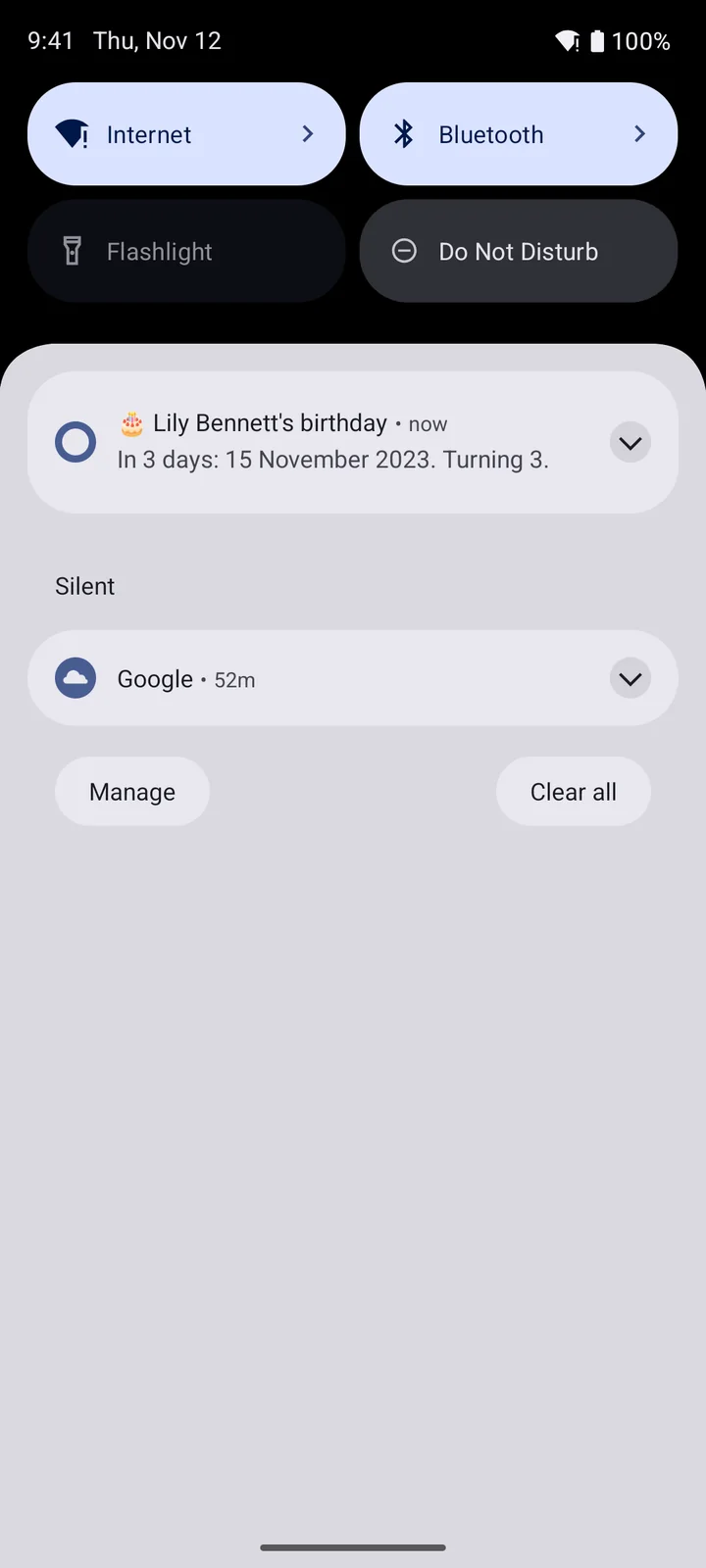
Open Lifelines and the next big day is right there, counting down to the minute, with everything coming this week, this month and in the next 90 days.

Lifelines keeps every important date for the people you love in one place, reminds you in time to call, plan or send a gift, and draws your whole family tree. Private by design.
A late message the day after. An anniversary that slipped by. The day someone you loved passed away, and nobody called. Lifelines remembers, so you can show up.





A name and a date is all it takes. Add birthdays, anniversaries and remembrance days, and link family members together.
On the day, 1 day, 3 days, a week or a month before, at the time you pick. No account, no setup.
See who is next with a live countdown, and send a wish card in a tap.
Open Lifelines and the next big day is right there, counting down to the minute, with everything coming this week, this month and in the next 90 days.
On the day, 1 day, 3 days, a week or a month before, several at once, at the time of day you pick. The default is on the day and 1 day before, at 9:00 AM.
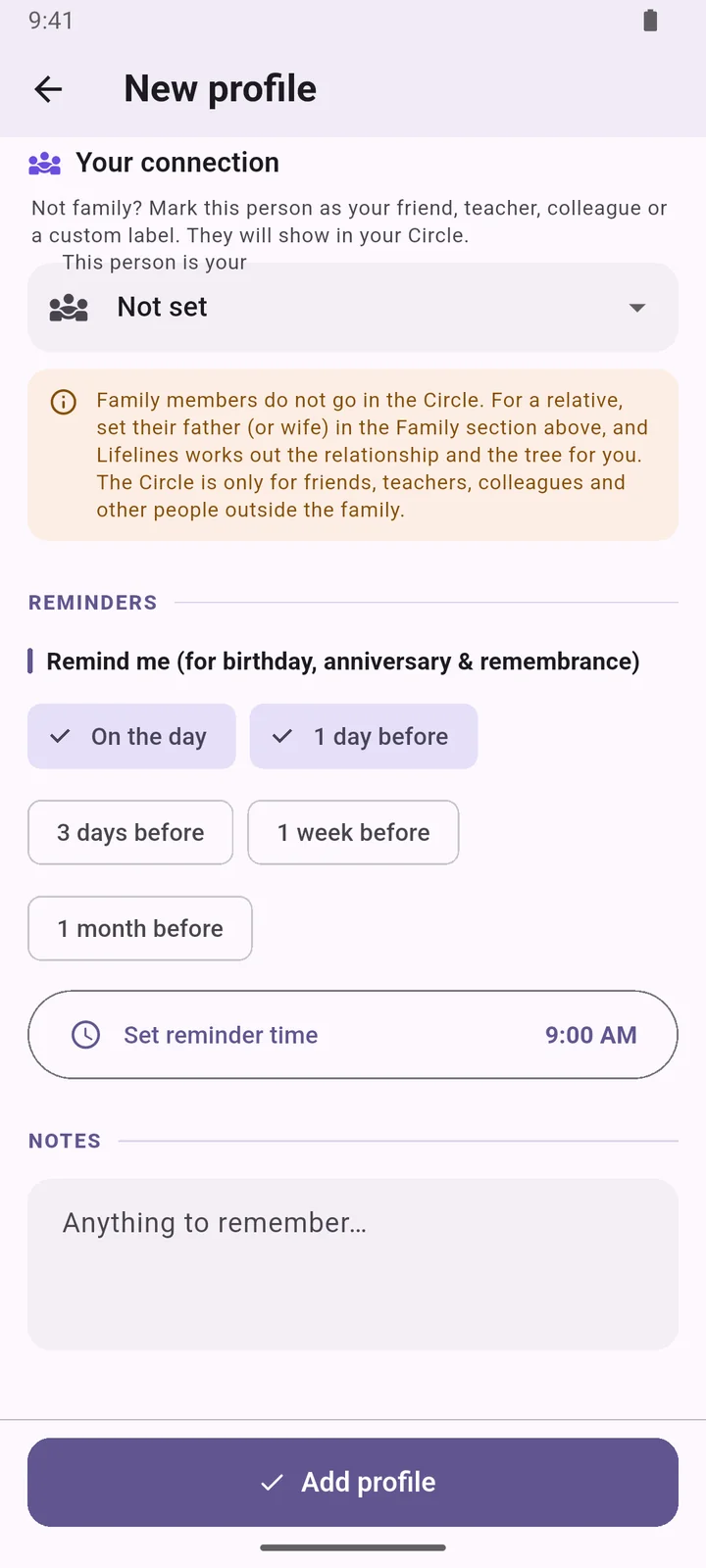
The reminder arrives when you can still act. On Android it can ring like an alarm with your own sound; on iPhone it comes as a time-sensitive notification.
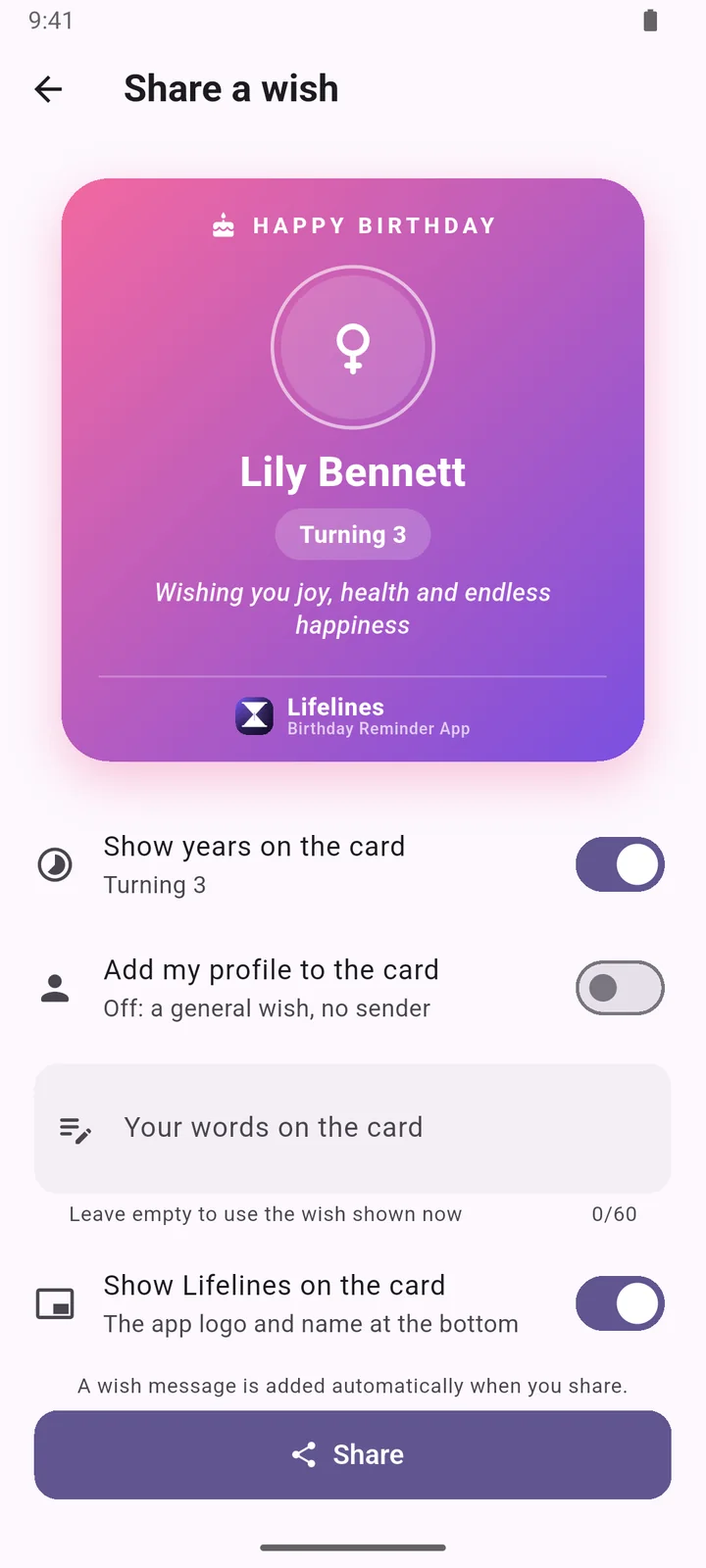
Lifelines makes a card for the day, with their age or your years together, and shares it as an image with a ready message, on WhatsApp or anywhere.
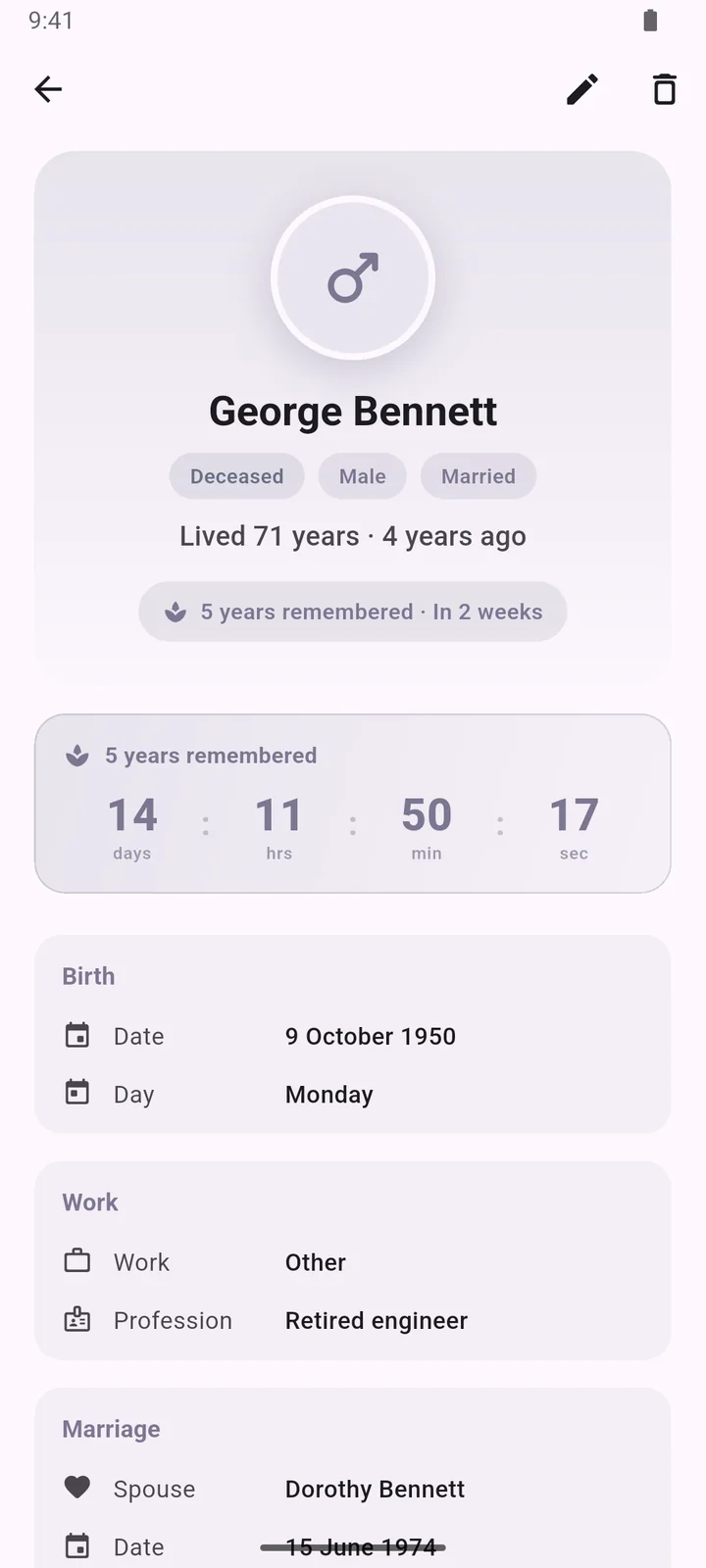
Death anniversaries and the birthdays of loved ones who have passed, kept in a softer, respectful style: "Lived 71 years", "5 years remembered".
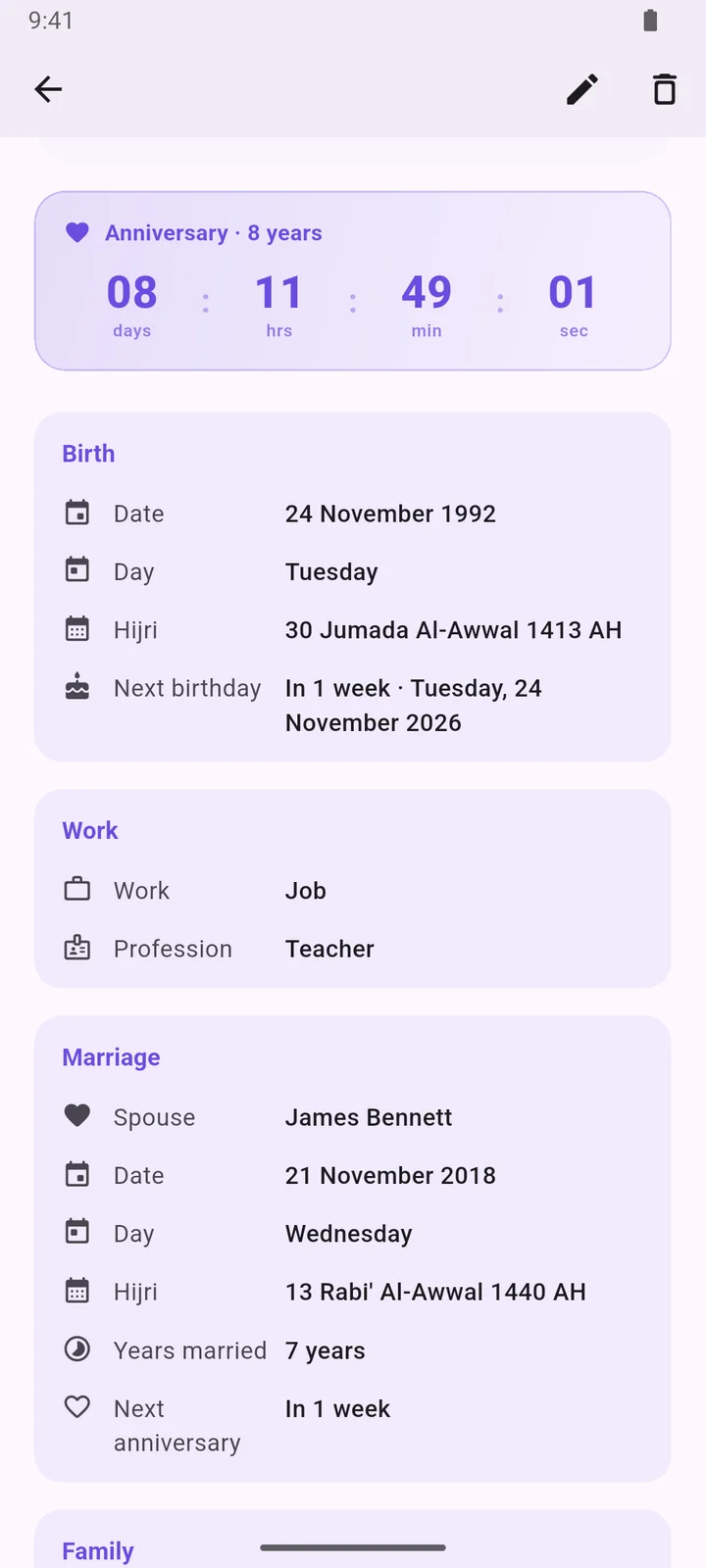
Show a second date beside every date: Islamic (Hijri), Hebrew or Persian (Solar Hijri), so religious and cultural days are never missed.
Birthday reminders, anniversary reminders, remembrance days and your family tree, with nothing you don't need.
Ages are worked out for you, so you always know the milestone: "Lily turns 3 on Sunday".
Wedding anniversaries with the years together counted for you.
Death anniversaries and the birthdays of loved ones who have passed, in a quieter, respectful tone.
On the day, 1 day, 3 days, a week or a month before, at the time you choose.
Friendship anniversaries for friends and colleagues, and monthly milestones for babies under one.
Set a father or a spouse and Lifelines works out the rest, naming every relation for you.
Show a second date beside every date, if your family keeps one.
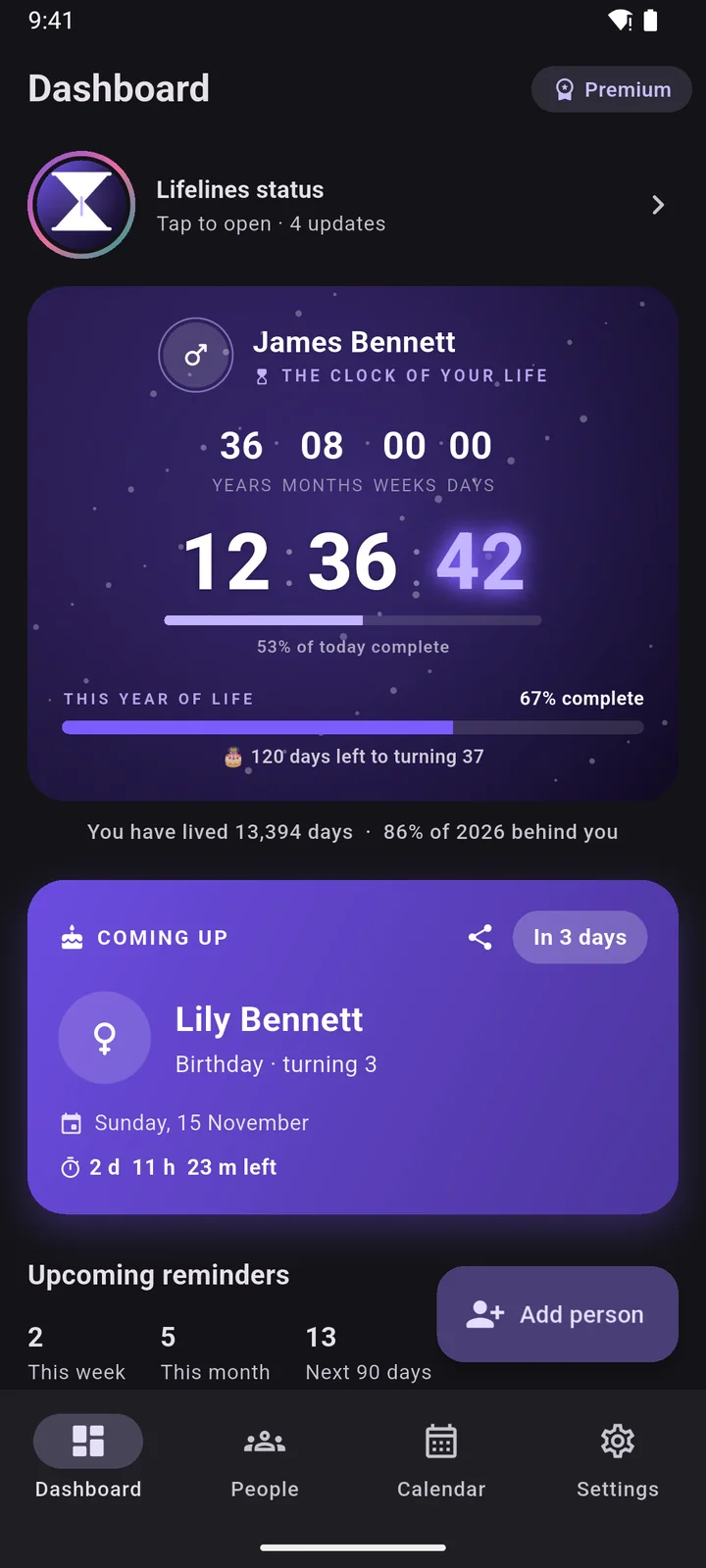
Age in years, months, weeks and days, with a clock ticking live.
Life clock, Coming up and Next 3 events, right on your home screen.
Send a birthday, anniversary or remembrance card as an image with a ready message.
Automatic backup to your own private Google Drive, or a backup file on your phone.
Lock the app with a PIN and your fingerprint or face unlock.
Many reminder apps only know birthdays. Lifelines also keeps death anniversaries, remembrance days and the birthdays of loved ones who have passed, shown in a softer, respectful style. They stay part of your family tree, and part of your family's story. More about death anniversary reminders
Many families keep two calendars. Lifelines can show a second date beside every date: Islamic (Hijri), Hebrew or Persian (Solar Hijri), so birthdays, anniversaries and religious days are never missed in either one. More about Hijri dates in Lifelines
Worked out live by your browser. In Lifelines you choose one second calendar to show beside every date.
Lifelines shows exactly how long someone has been alive, down to the second. It's not meant to scare you. It's a reminder to call, to visit, and to celebrate while you can.
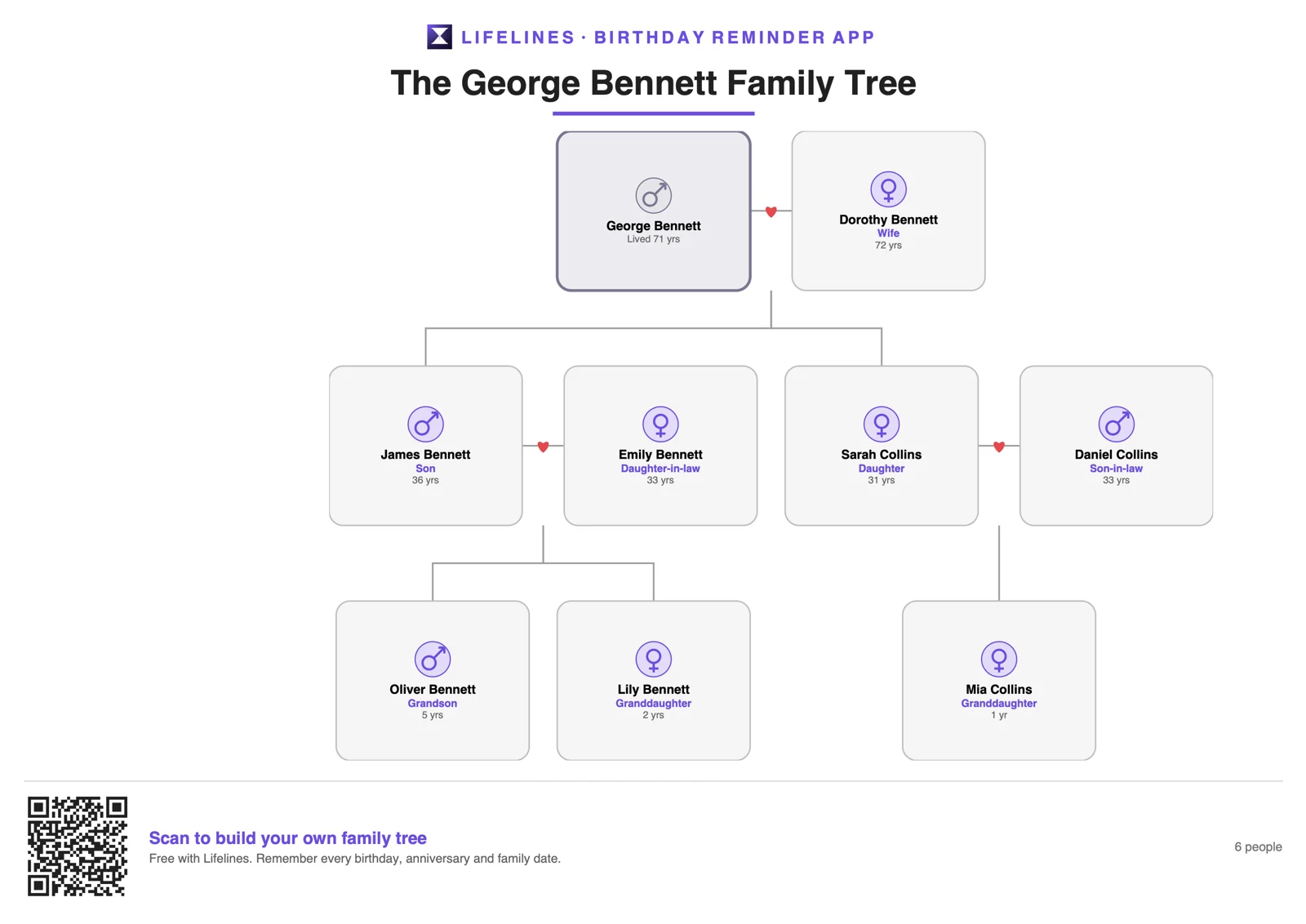
Tell Lifelines who someone's father or spouse is, and it works out the rest: siblings, uncles, aunts, cousins and grandparents, each relation named, from "paternal uncle" to "cousin". It can even show South Asian names such as Mamu or Chacha as hints. More about the family tree app

Children's birthdays with a week's notice to plan, and monthly milestones for babies under one.
Never miss an anniversary again, and know exactly how many years you have been together.
Grandparents, uncles, aunts and every cousin, with each relation named for you.
Death anniversaries and remembrance days, kept gently and never forgotten.

See Hijri, Hebrew or Persian dates alongside the dates you already know.

When you can't be there, be the first to call, with a reminder that comes in time.
A calendar can remind you of a date. Lifelines remembers the person: their age, your years together, their place in the family.
| Feature |  Lifelines |
Phone calendar | Social media |
|---|---|---|---|
| Reminds you a day, a week or a month ahead | |||
| Works out ages and years together | |||
| Remembrance days for loved ones who passed | |||
| Family tree with every relation named | |||
| Hijri, Hebrew or Persian dates beside every date | Partly | ||
| Works offline, no account needed | Partly | ||
| No ads, your data stays on your phone | Partly | ||
| Get it free |
For you and your close family
Monthly or Annual
Go over 10 people on the free plan and nothing is deleted: extra profiles are blurred and their reminders pause until you upgrade. Prices are shown in the App Store and Google Play for your country.

Birthdays, marriages and memories are personal. Lifelines keeps them on your phone, never sells them, and never shows you ads.
Yes. Lifelines is free to download, with no ads, and every feature works for up to 10 people. Premium unlocks unlimited people, and lets you write your own words on wish cards and remove the Lifelines logo. Premium is Monthly or Annual, priced for your country in the App Store and Google Play.
Nothing is deleted. The extra profiles are blurred and their reminders pause until you upgrade to Premium.
Keep every date in one place that reminds you early enough to act. In Lifelines you add each person once, choose to be reminded on the day, 1 day, 3 days, a week or a month before, at the time of day you pick, and see every upcoming birthday with a live countdown.
Yes. For each person you can pick several reminders at once: on the day, 1 day, 3 days, 1 week or 1 month before, at the time you choose. The default is on the day and 1 day before, at 9:00 AM.
Yes. Lifelines keeps their remembrance days and death anniversaries, and their birthdays too, shown in a softer, respectful style, and they stay part of your family tree.
Yes. You can show a second date next to every date: Islamic (Hijri), Hebrew or Persian (Solar Hijri).
Lifelines works out every relation for you, from grandparents to cousins, and can show South Asian relative names such as Mamu or Chacha as hints. The app itself is in English.
Yes. On Android and iPhone there are 3 home-screen widgets: Life clock, Coming up and Next 3 events. On iPhone, Life clock and Coming up are also lock-screen widgets (iOS 17 and newer).
No. There is nothing to sign up for, and everything is stored on your phone. Lifelines works offline.
Back up to your own private Google Drive folder, automatically after each change, daily, weekly or monthly, and restore on a new phone. Or save a dated backup file on your phone. Your data is never stored on our servers.
Yes. Your family's names, dates, photos and notes stay on your phone unless you back them up, and they are never sold or used for ads. You can also lock the app with a PIN and your fingerprint or face unlock.
Yes. Lifelines draws your family tree from a few links and names every relation. Export it as a PDF to share with relatives, or print it for your next family gathering.
iPhone with iOS 15 or newer (widgets need iOS 17), and Android 7.0 or newer.
Use Send feedback in the app's Settings, or email the Lifelines team at contactus@araft.co, and we'll get back to you.


Download Lifelines free and never miss a day that matters again.